Steam playtests
 Steam playtests
Running a Steam playtest?
See video of real player sessions with no tester setup.
See where players get stuck, confused, or quit.
Players install your normal Steam playtest build and play as usual. No extra setup, no recording tools.
How it works
1
Install Plugin
Unity package or Godot plugin
2
Configure consent
Add a simple consent dialog
3
Watch gameplay recordings
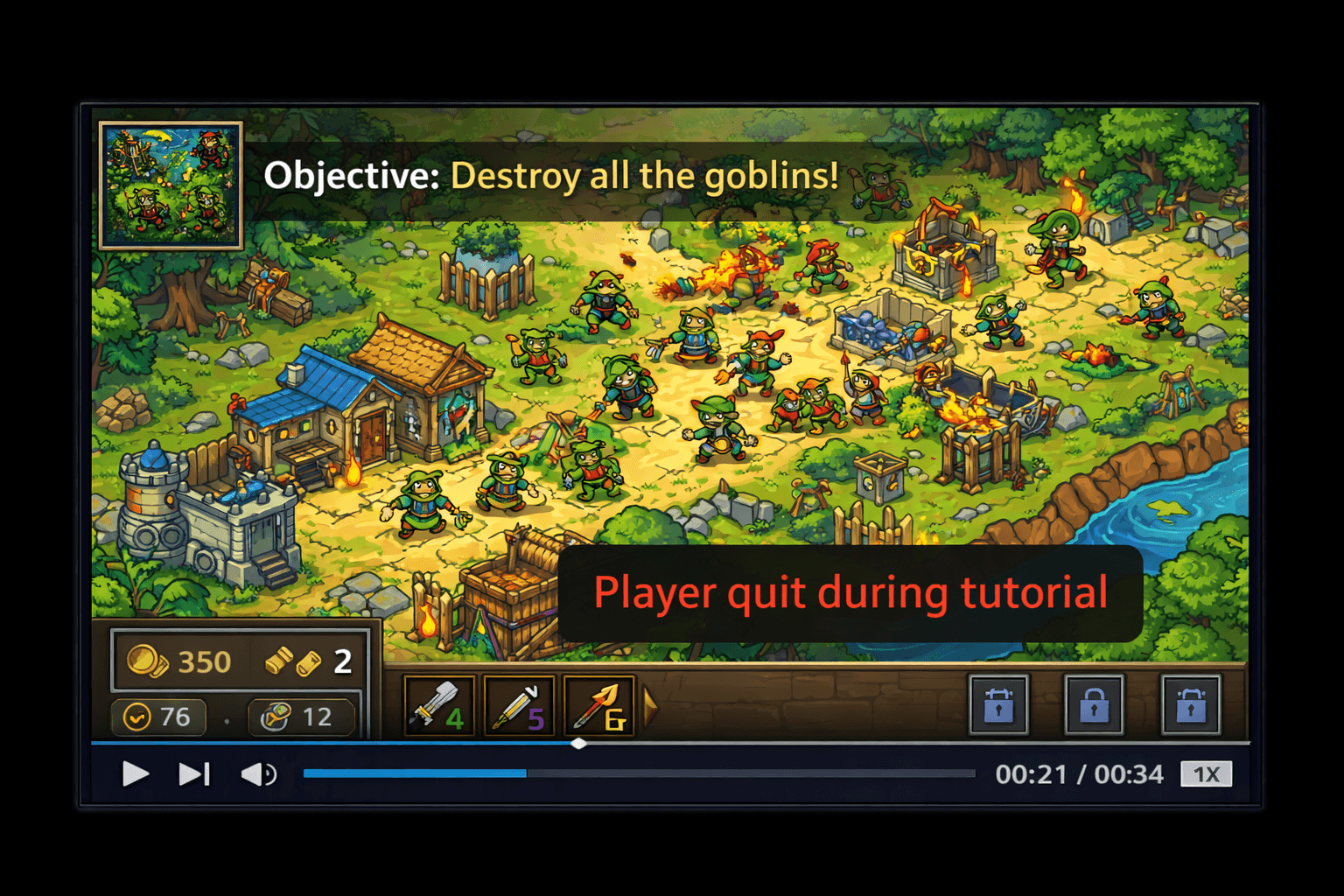
Watch real players onboard to your game
Unity and Godot on Windows + supported NVIDIA GPUs · Video FAQ
Onboarding replay
Not just video. A complete runtime error monitoring system built for games.
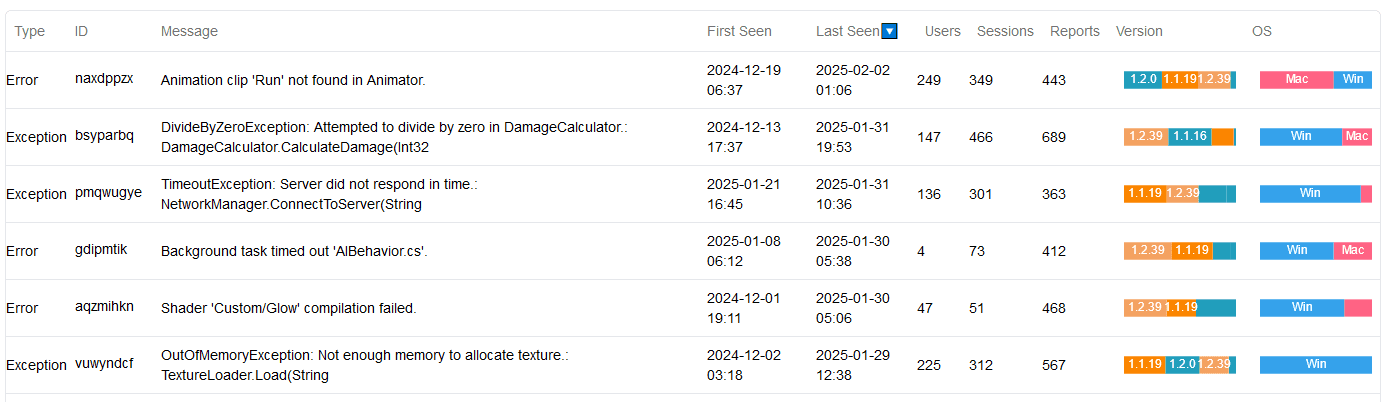
Errors
Crashes
ANRs
Session Logs
Video Replays
Runtime error observability built for game development
1. Install
Add the Unity package or Godot plugin and run setup.
2. Capture
Automatically collect runtime errors from real players.
3. Diagnose
Review logs, metadata, and video context to fix issues faster.
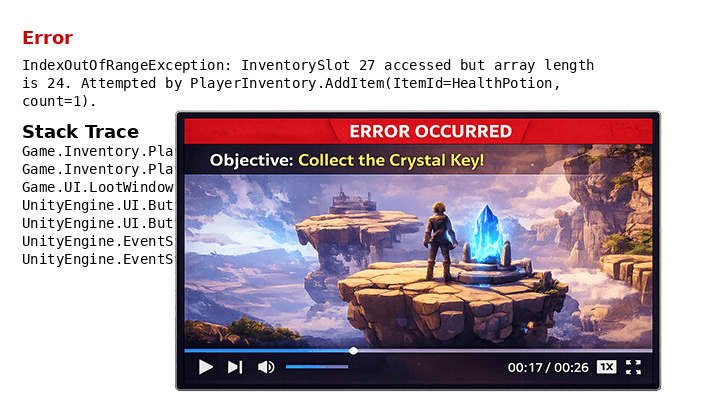
Error Clips
Short video context captured around an error event.
Error Clips and Replays support Unity and Godot on Windows with supported NVIDIA GPUs. See Video FAQ.
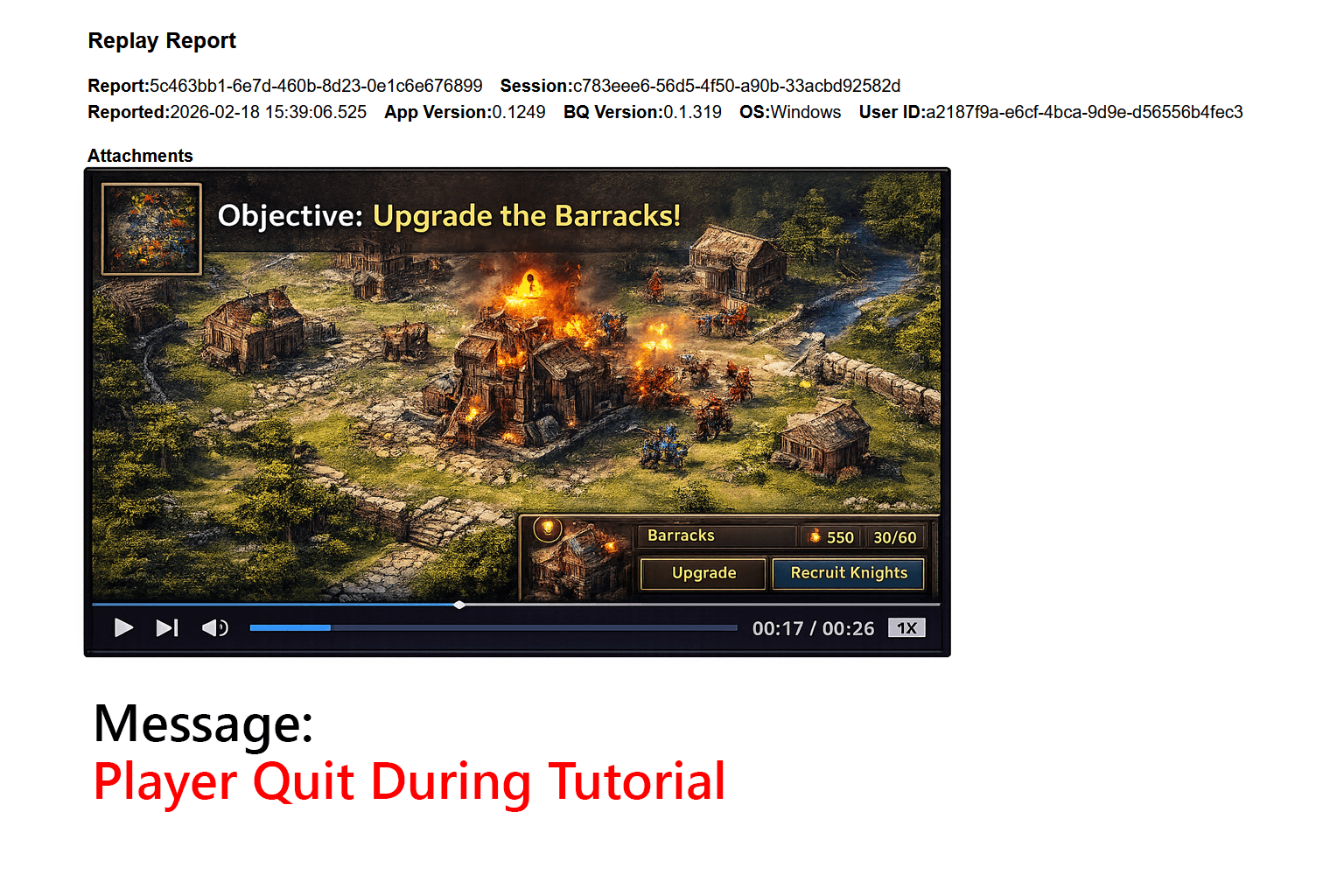
Two Video Features for Different Problems
Error Clips
Short recordings around an error event, optimized for context and fast triage.
Replays
Longer recordings (typically 5-15 minutes) for flow analysis and player behavior investigations.
Use Cases: Error Clips vs Replays
Error Clips: context + impact triage
Error
On-screen
Impact
Use Error Clips to quickly decide whether an error actually affected the player experience.
- Some errors look severe in logs but show no visible issue on-screen.
- Other errors directly interrupt gameplay and need immediate action.
- Triage based on player impact, not just stack traces.
Replays: behavior analysis over time
New Player
Tutorial
Cheating
Playtest
Use Replays (typically 5-15 minutes) when the question is about player behavior, not a single error event.
- What was a brand-new player's first 5 minutes like?
- What were they doing when they abandoned the tutorial?
- Is a player cheating?
- What happened during playtest sessions?
Recording gameplay. Is that OK?
Questions about privacy or performance? We have plain answers.
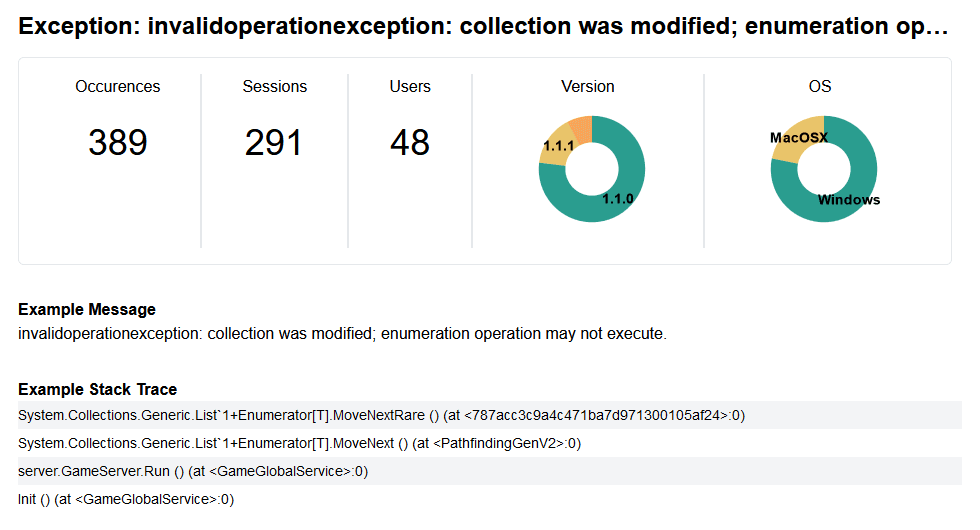
Break down errors by game version, engine version, and operating system
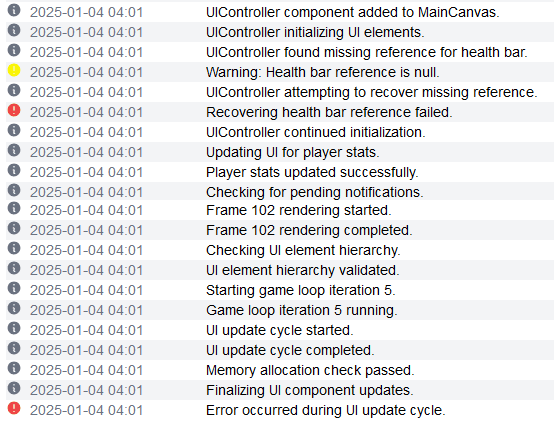
View logs leading up to an error
What You Get in Detail
Real-player runtime errors
Capture errors from the environments your players actually use so you can prioritize fixes by impact.
- Automatic collection during normal gameplay.
- See which errors are happening most often.
- Triage production issues with concrete evidence.
Logs + platform context
Understand each error in context without reproducing blindly.
- Review log lines leading up to the error.
- Break down by OS, engine version, and game version.
- Spot regressions after updates and hotfixes.
- Monitor network connectivity issues, which are often the root cause of runtime errors
Error Clips + Replays
See what players were doing at failure time, and investigate broader behavior with longer recordings.
- Error Clips: short videos around errors to triage real player impact.
- Replays: longer recordings (typically 5-15 minutes) for behavior analysis.
- Examples: tutorial abandonment, first-session quality, cheat investigations, playtest review.
Error Clips and Replays are available for Unity and Godot on Windows with supported NVIDIA GPUs.